We help enterprises transition legacy Forms environments to supported web-based architectures.
Oracle Forms & Oracle Database Upgrade
Oracle Forms & Oracle Database Upgrade
Leave outdated Oracle Forms behind. Upgrade your Oracle Database and move to APEX for faster, safer, future ready applications.

TRUSTED ORACLE PARTNER
25+
YEARS OF EXPERTISE

ZERO-DOWNTIME MIGRATION EXPERTISET
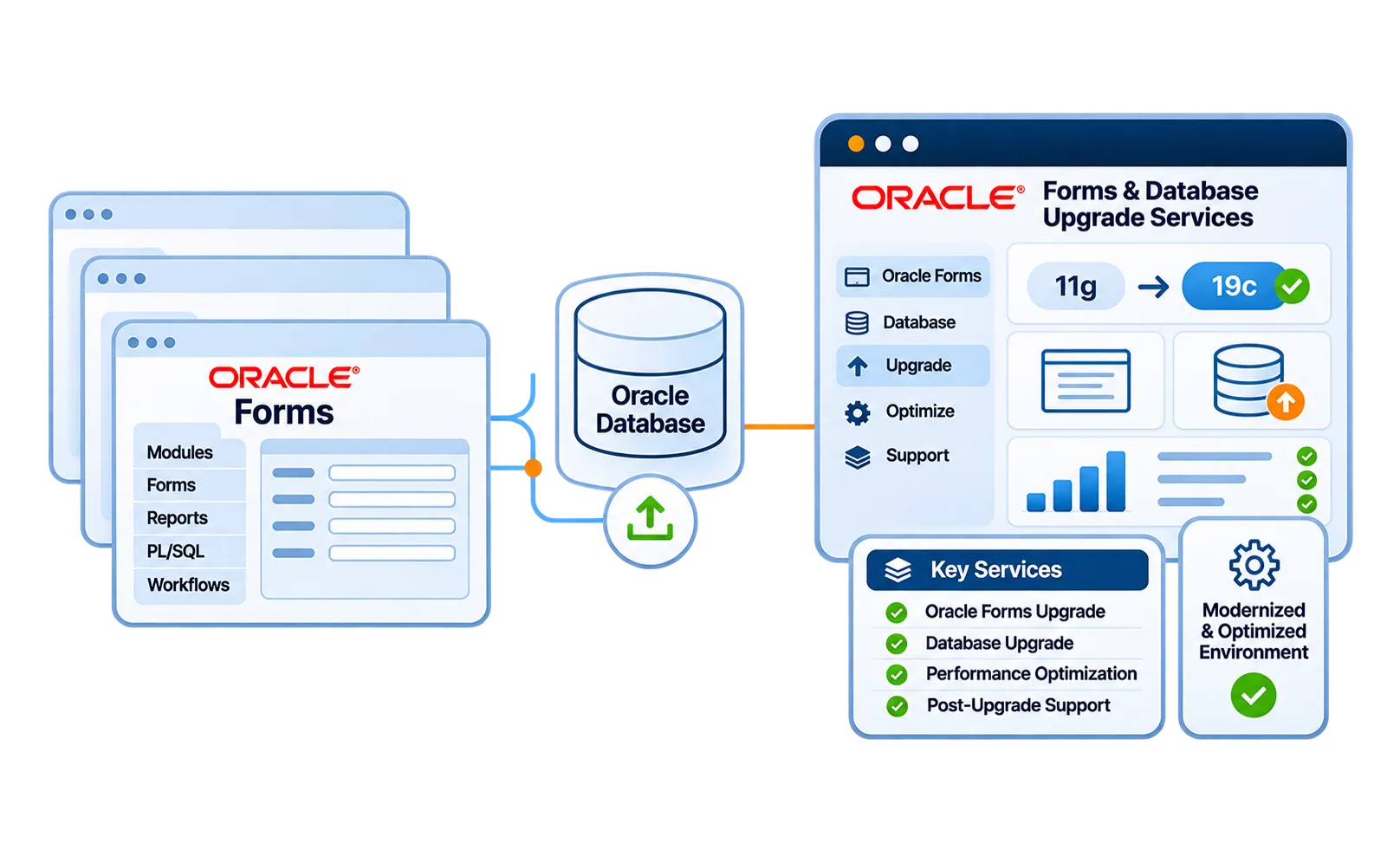
Oracle Forms 6i / 10g / 12c Upgrade Services
1. Client-server to web migration
2. WebLogic configuration & optimization
3. Code compatibility adjustments
4. Runtime stabilization
5. Post-upgrade validation & testing
Oracle Database Upgrade & Optimization Services
We upgrade legacy Oracle Database versions such as 11g or 12c to modern supported releases like Oracle Database 19c or 21c
1. Database version upgrade (e.g., 11g → 19c / 21c)
2. Performance tuning & indexing
3. Security patching & compliance alignment
4. Backup & disaster recovery validation
5. High availability configuration
A properly upgraded database improves system reliability and scalability.
Modern
Secure & Cloud-Native
Why Enterprises Upgrade Oracle Forms and Oracle Database
An unsupported system increases business risk over time.
End-of-support risks for older Forms & Database versions
Increasing security vulnerabilities
Performance degradation
Compatibility limitations with modern infrastructure
Compliance challenges
OUR ORACLE DATABASE UPGRADE FRAMEWORK
Other vendors say "migrations" but deliver headaches. Here's why we're different.

Assess the Environment
Evaluate current versions, dependencies, compatibility risks, and infrastructure requirements.

Plan the Upgrade
Define the upgrade sequence, downtime plan, and critical validation checkpoints throughout the process.

Execute and Validate
Perform controlled upgrades while testing critical workflows, integrations, data, and functionality.

Stabilize and Optimize
Monitor performance, refine configurations, and optimize the upgraded production environment.
Future-Ready Oracle Database Strategy
Database upgrades often serve as a foundation for modernization initiatives, including migration to Oracle APEX or cloud infrastructure. We help define that roadmap strategically.
Frequently Asked Questions
Get the information you need with our frequently asked questions.
Yes, both can be upgraded as part of a coordinated modernization plan, with compatibility and dependencies assessed before execution.
Downtime depends on the environment, database size, application complexity, and upgrade approach, which are evaluated during planning.
Compatibility testing helps identify Forms, PL/SQL, WebLogic, and database dependencies that may require changes.
A structured upgrade plan includes backup, validation, and rollback strategies to help reduce risk and support recovery.
The right sequence depends on your current versions, application dependencies, and compatibility requirements identified during the initial assessment.
